

Security Guard Management System
Turning chip-scanning tours into a system that actually works
⚡ AI Summary ⚡
Project: Security Guard Management System
Type: Independent project
Role: Product Designer
Team: 2 Developers, Project Owner
Timeline: 2020
Platform: Web dashboard + Android mobile app
Problem:
- Managers wasted hours verifying guard tours (calling, visiting locations)
- Guards developed workarounds to cheat unreliable system
- No feedback when chip scans registered
- Schedules managed in Excel with complex hourly rate calculations
- Some locations have no internet (underground garages)
Research:
- Interviews with 2 shift managers and 2 security guards
- Key insight: Guards cheated because system was unreliable, not malicious intent
Solution:
- Dual-platform system for different user contexts
- Web dashboard: real-time tour visibility, smart scheduling, notifications, employee management
- Mobile app: simple tour checklist, immediate scan feedback, offline-first architecture
- Automatic payroll calculations by security level
- Timestamp logged at scan time, not sync time
Impact:
- Managers: got hours back, passive monitoring instead of active verification
- Guards: stopped cheating because system became reliable
- Scheduling: moved from Excel to app with automatic calculations
Skills demonstrated:
User research, dual-platform design, offline-first architecture, real-time data visualization, dashboard design, mobile app design, B2B/enterprise
What I’d do differently:
Observe guards on actual tours (not just interviews), plan for user distrust during transition, flag iOS limitation earlier
Overview
Security guards protect physical locations – warehouses, offices, construction sites, by walking scheduled “tours” through facilities, tapping hidden chips to prove they checked each location. Managers wasted hours daily verifying tours were completed. Guards had developed workarounds to cheat an unreliable system. Schedules lived in Excel spreadsheets with complex hourly rate calculations.
I designed a dual-platform system: real-time web dashboard for managers, offline-first Android app for guards.
- My Role: Product Designer
- Team: 2 Developers, Project Owner
- Timeline: 2020
- Platform: Web dashboard + Android mobile app
My contributions
- User research (interviews with shift managers and security guards)
- Web dashboard design (manager interface)
- Android mobile app design (guard interface)
- Offline-first architecture design
- Real-time sync workflow design
- Design system creation
- Developer collaboration
The challenge in detail
The existing system was technically functional but completely unusable in practice.
The tour process: Guards get scheduled tours lasting up to an hour depending on site size. They carry a phone with a chip scanner. Hidden chips are placed throughout the facility – behind the door, under the table, by the bar. Guards tap each chip during their tour to prove they physically visited each location. If a chip isn’t scanned or is late, managers need to know immediately.
Why managers were wasting hours: The old system gave no visibility into active tours. Managers had to physically visit locations or call guards on their phones to verify tours were happening. “Did you finish the museum tour?” “Are you at the warehouse yet?” Hours spent on verification that should have been automatic.
Why guards were cheating: The old system was unreliable. Scans often didn’t register. Offline mode didn’t work properly. Guards couldn’t tell if their taps were recorded. They’d developed workarounds – tearing chips off their mounts, collecting them in one place, tapping them all at once. Not malicious fraud, but rational response to a system that didn’t work.
The Excel nightmare: Each security level (Shift Manager, Intervention Police, Guard, Security Officer, Associate, Fireman) had different hourly rates. Schedules were managed in spreadsheets. Payroll calculation was manual and error-prone. Monthly reporting took days.
Previous attempt: Developers had already tried building this app without a designer. It worked technically but looked and felt exactly like you’d expect – confusing navigation, unclear states, no consideration for the actual contexts where it would be used.
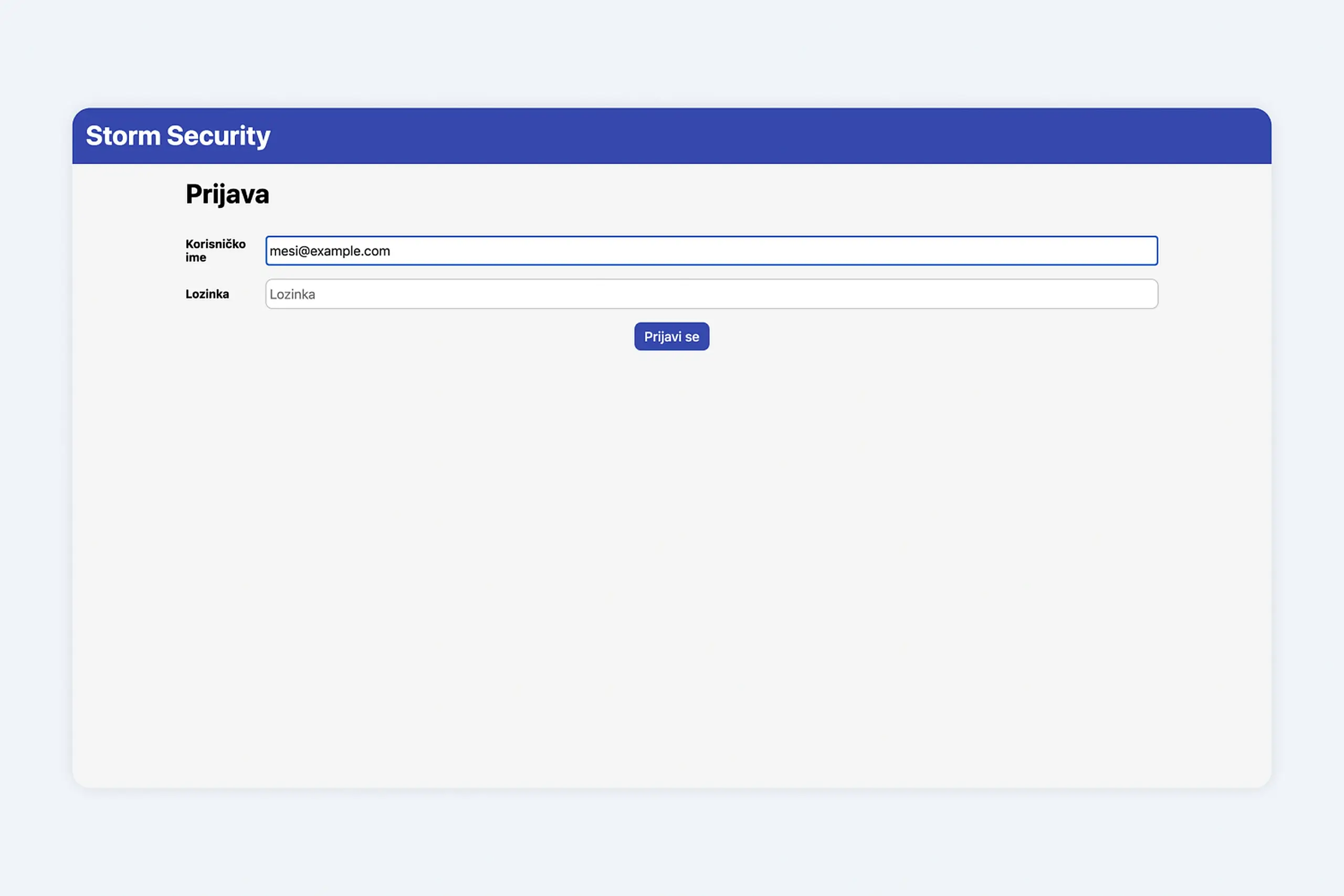
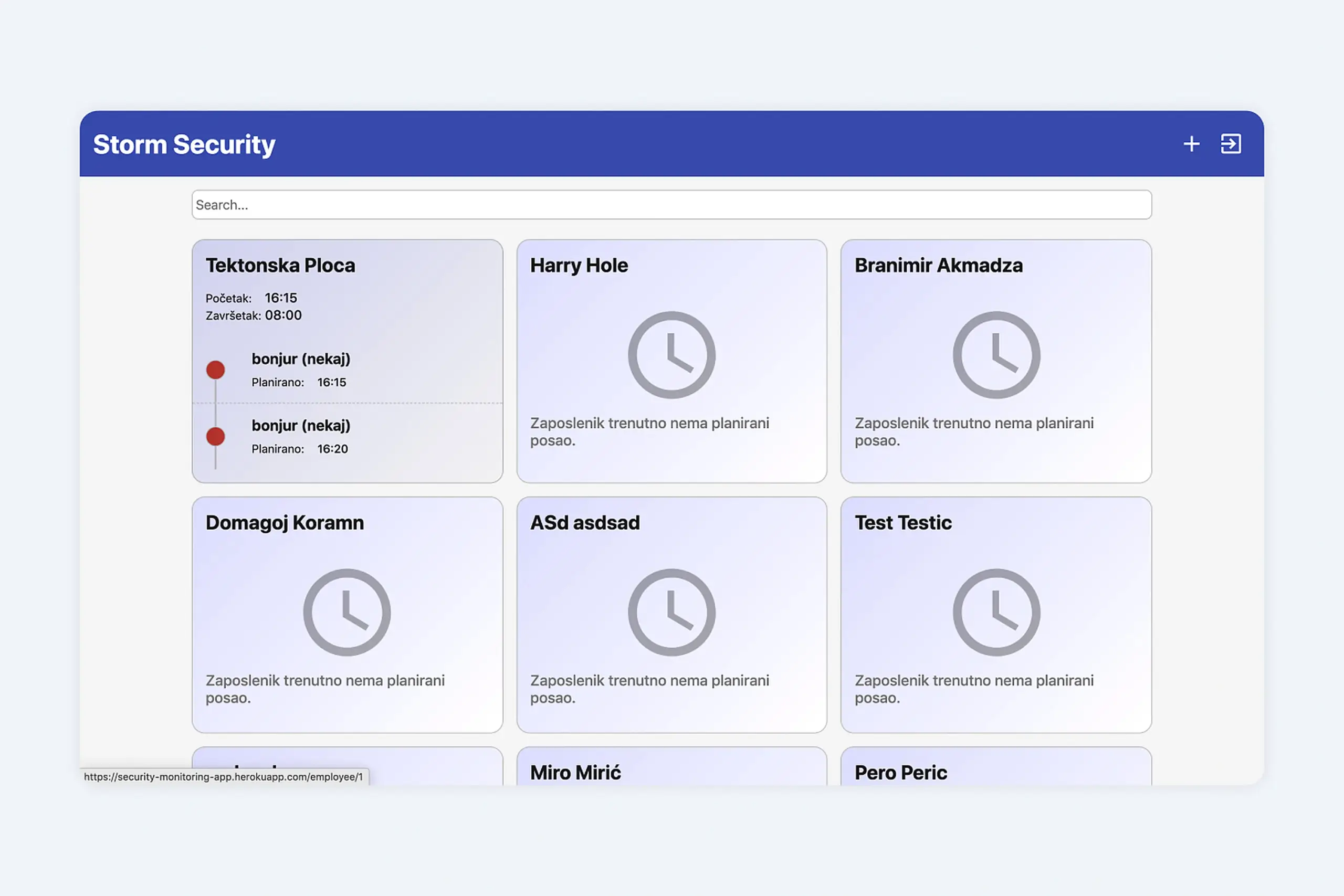
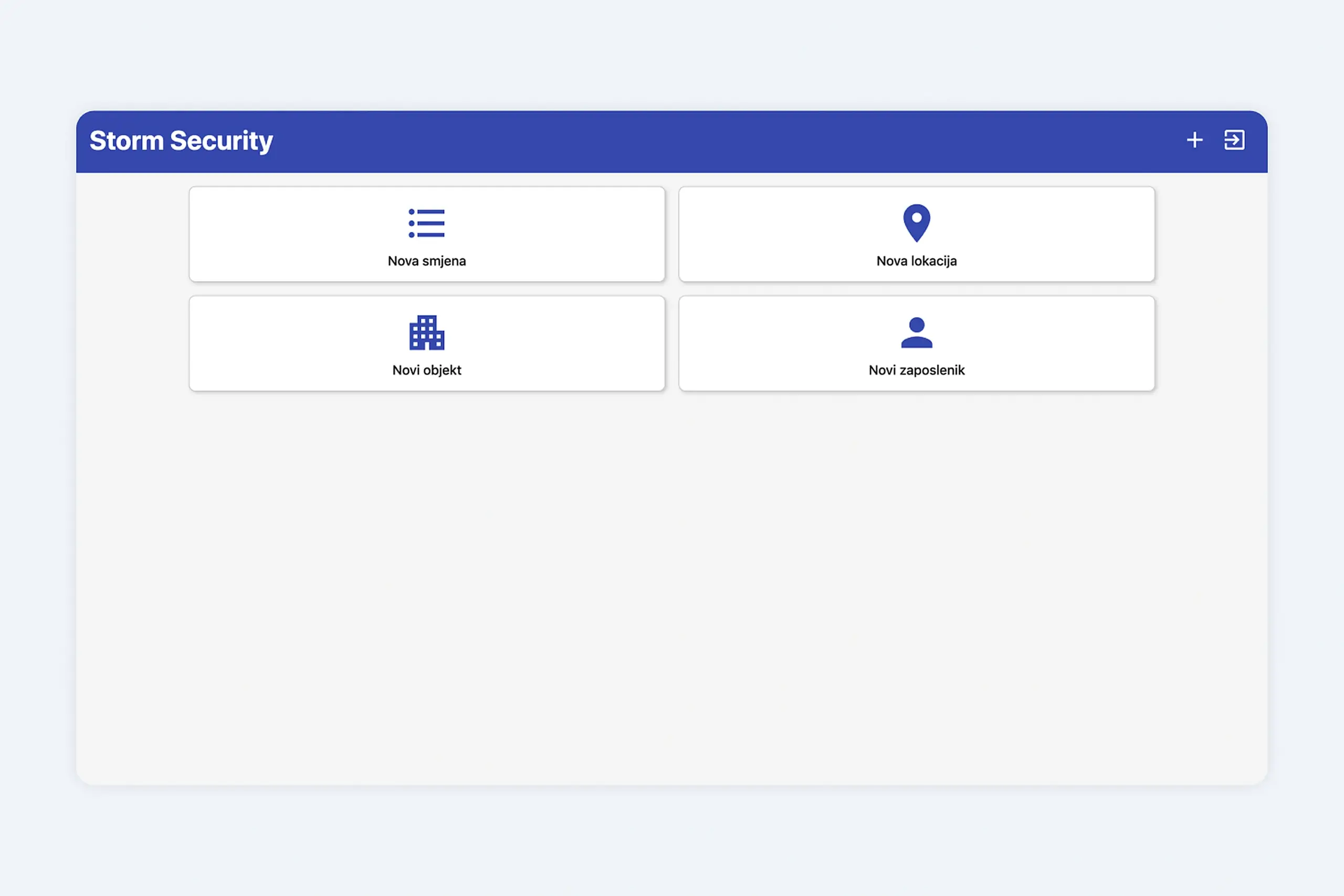
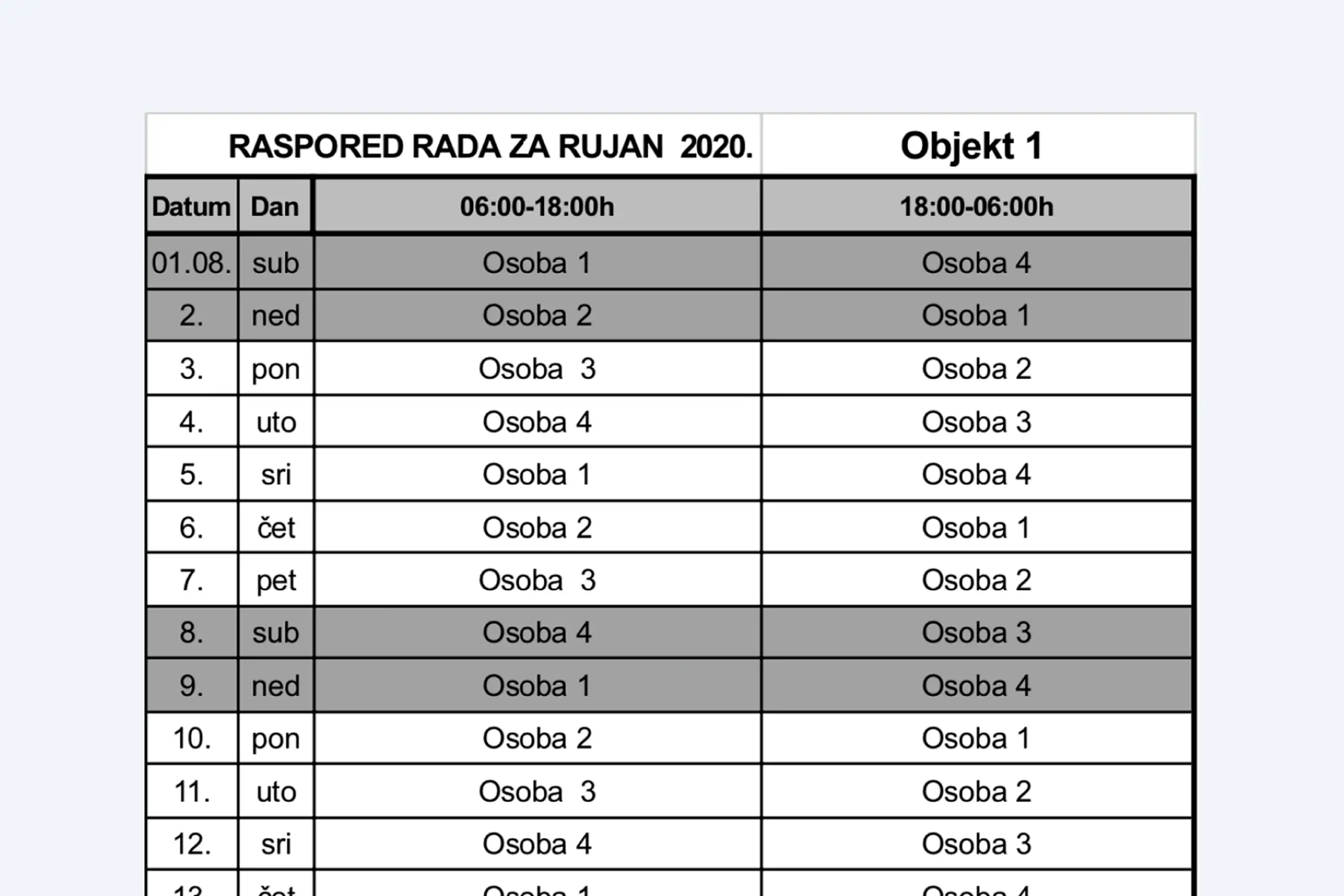
Excel spreadsheets were used to manage guard schedules with different security levels and hourly rates
What I did
I talked to two shift managers and two security guards to understand the actual workflow and frustrations.
What I learned about guards:
- Tours can last up to an hour depending on site size
- They carry phones with chip scanners
- Some locations have no internet (underground garages, basements)
- The old system gave no feedback when scans registered
- They didn’t trust the system, so they developed workarounds
- Time buffers matter, guards can’t teleport between chip locations
What I learned about managers:
- No visibility into whether tours were happening
- Had to manually check if tours completed
- Couldn’t distinguish system failure from guard negligence
- Managing schedules in Excel was primitive and error-prone
- Different security levels complicated payroll calculations
Edge cases that shaped the design:
- Offline sync: System must work without internet and sync when connection returns
- Timestamp accuracy: Show exact chip location and timestamp, logged at scan time, not sync time
- Travel time: Guards can’t reach the next chip instantly, system needs realistic time expectations
Two apps for two different contexts
I split the system into separate interfaces optimized for completely different use cases.
Shift manager dashboard (web)
Managers sit at desks. They need oversight of multiple guards across multiple locations. Dashboard design optimized for monitoring and administration.
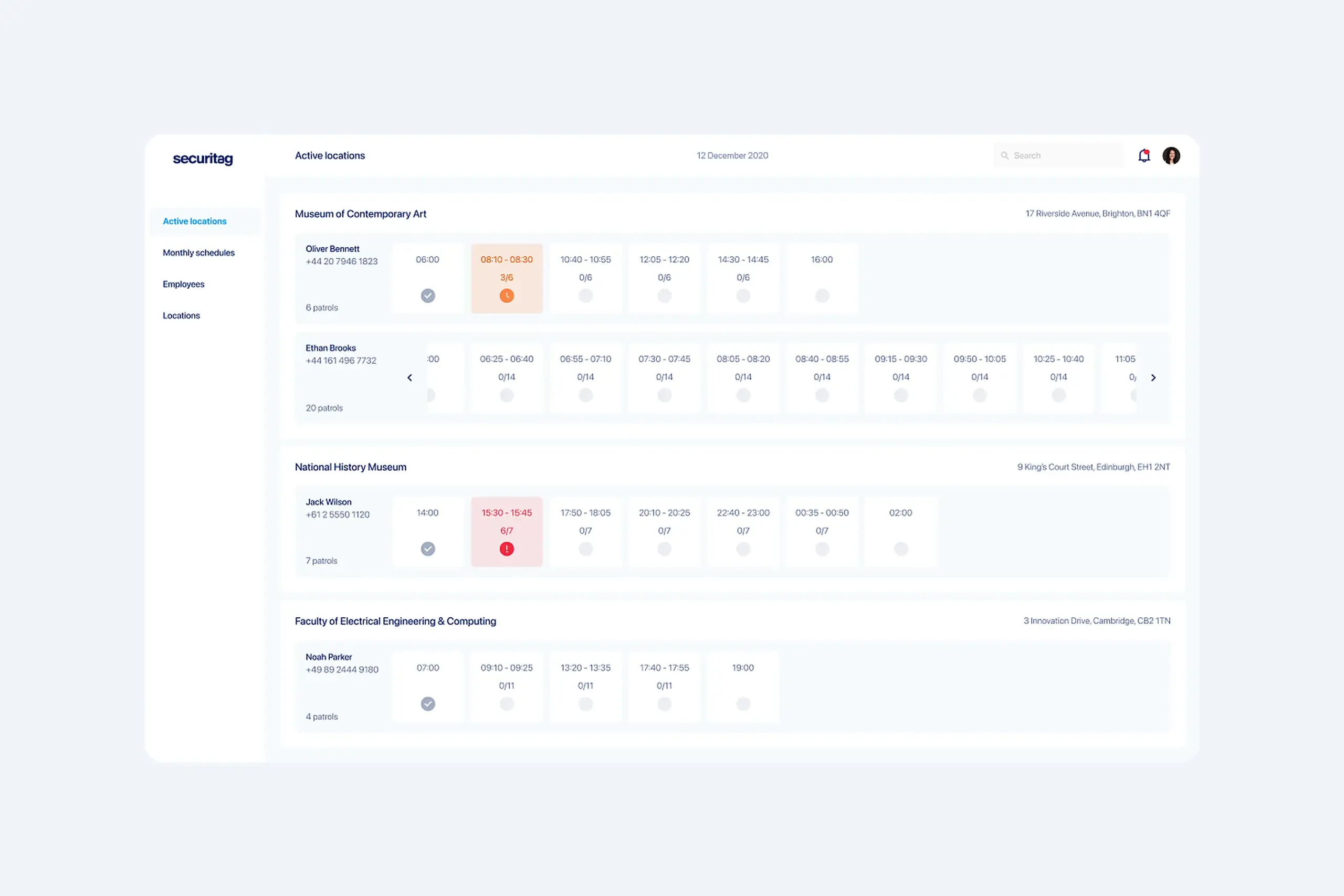
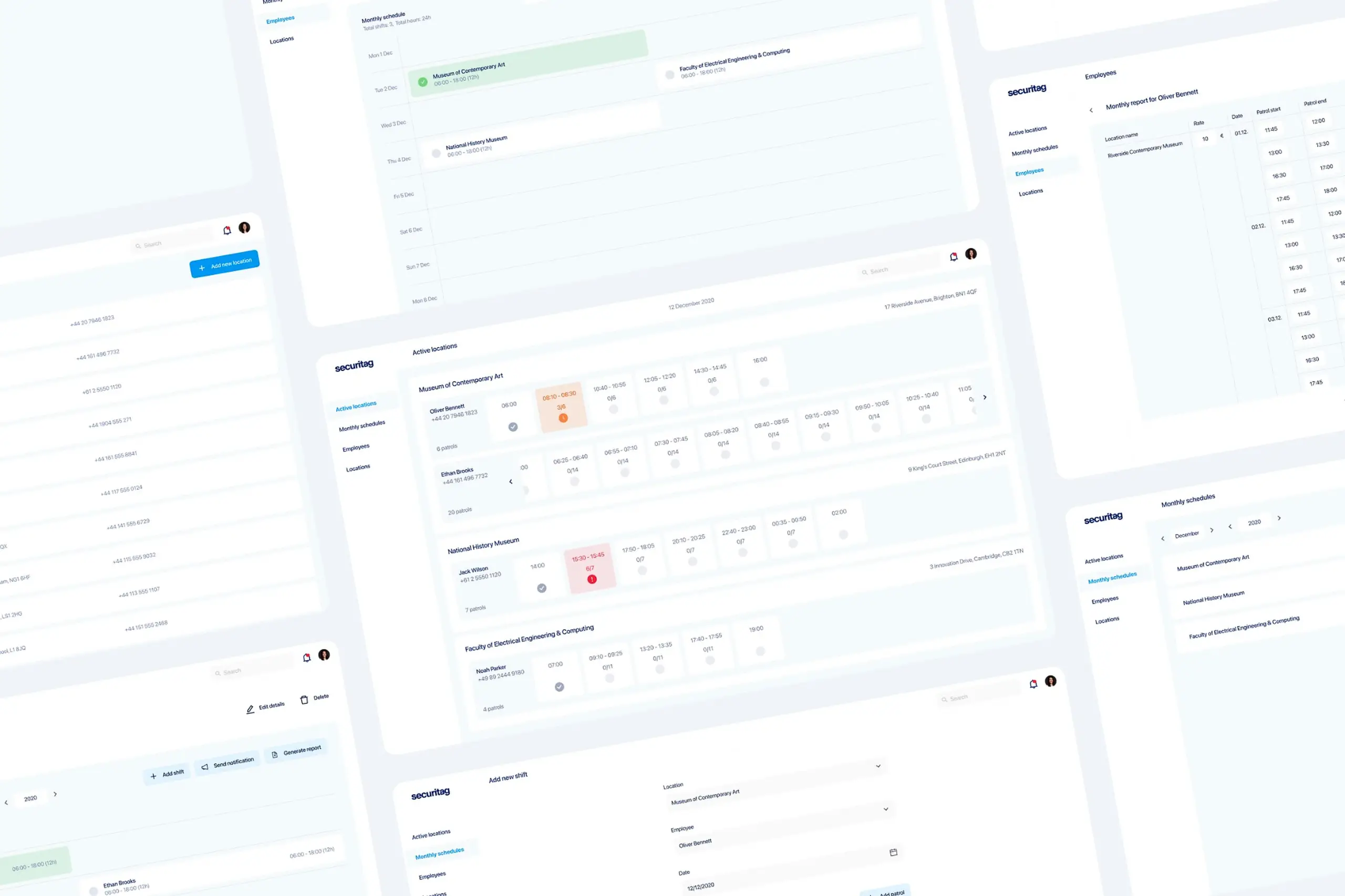
Security guard management system showing web dashboard
Active tour visibility:
- Which guards are currently on tour
- How many chips they’ve scanned (3/7 complete)
- If any chips are late or missed
- Tour timing and progress
No more calling guards or driving to locations. Real-time visibility from their desk.
Smart scheduling:
- Calendar view for shift planning (replaced Excel)
- Different security levels with automatic hourly rate calculations
- Monthly reports generated automatically
- Protected locations list with all chip assignments
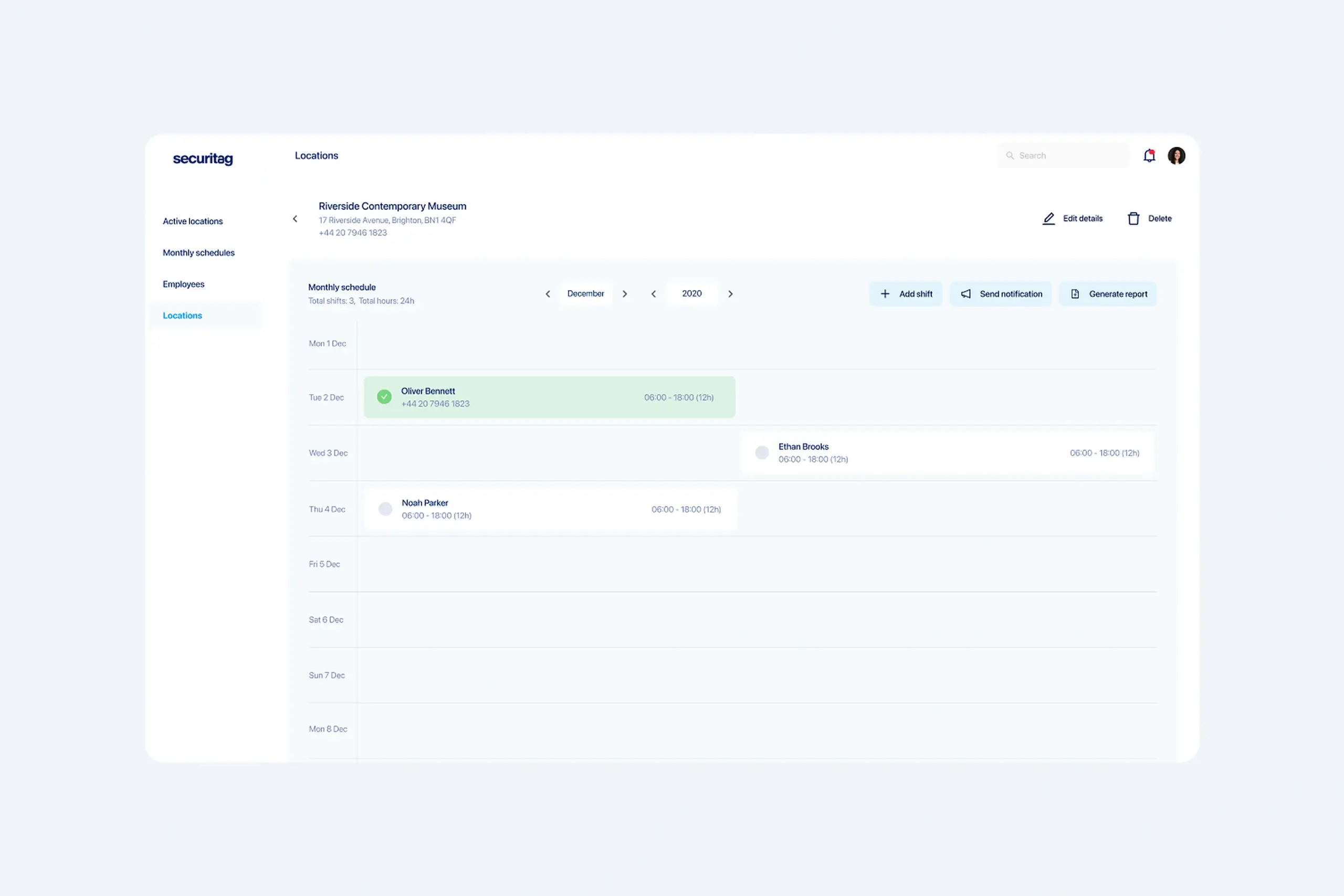
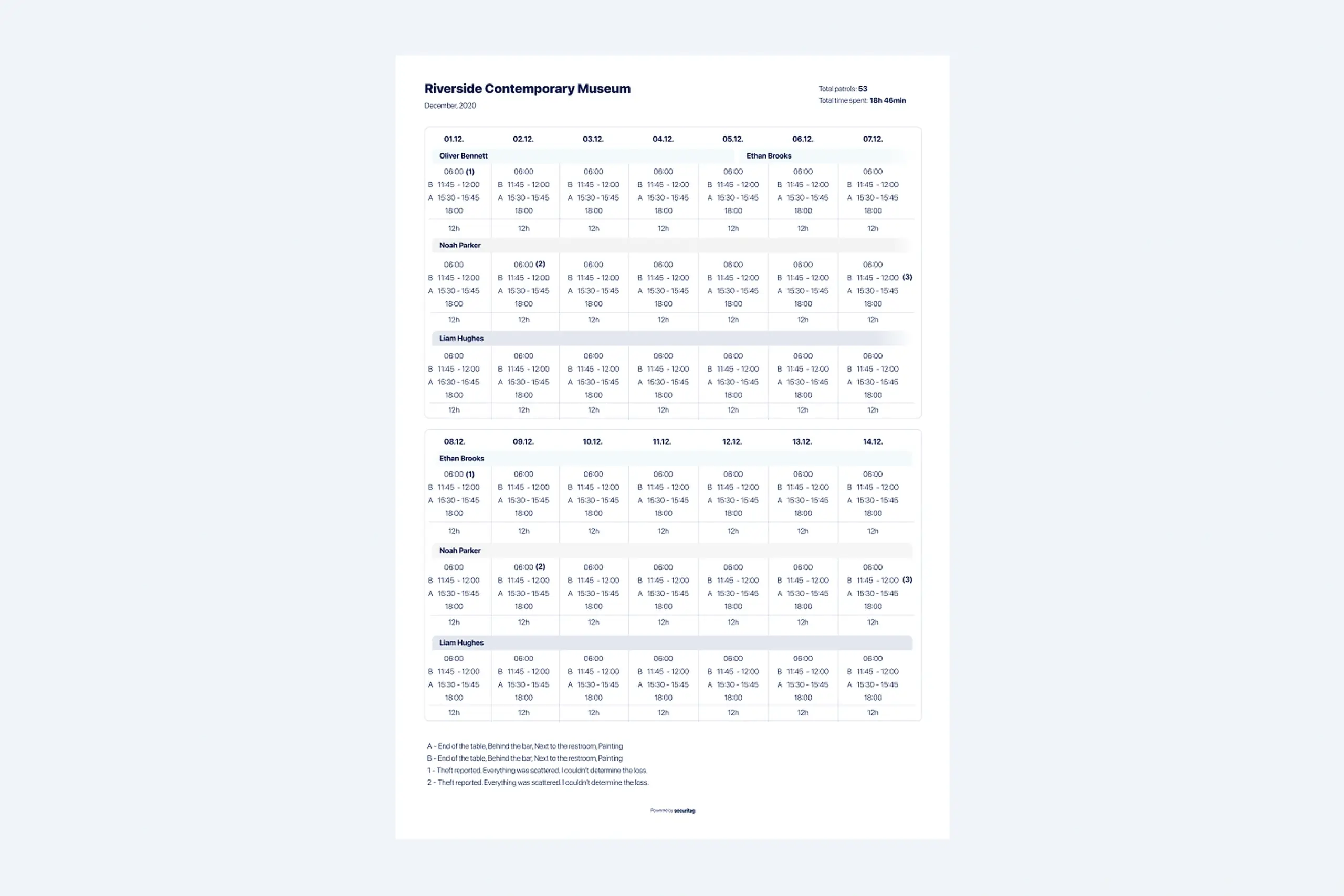
Why calendar over list: Managers think in weeks and months for scheduling. They need to see coverage patterns, identify gaps, balance workloads across guards. A list would require mental reconstruction of the schedule shape.
Notification center:
- Delayed chip scans
- Broken or missing chips
- Tour completion status
Alerts for things that actually matter, not noise.
Security guard app (Android)
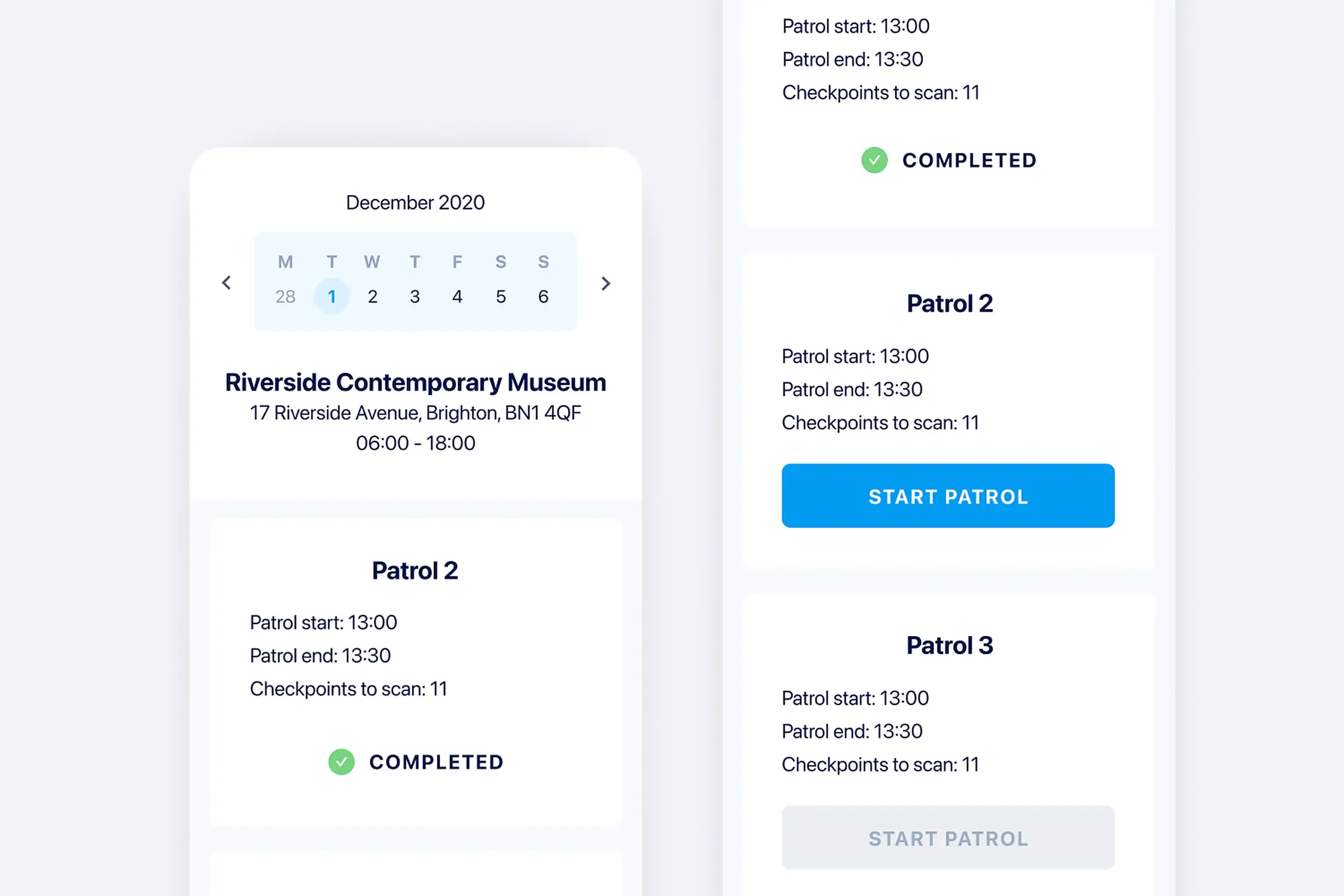
Guards are on their feet, moving through facilities, often in poor lighting, sometimes in stressful situations. The app needed to be dead simple.
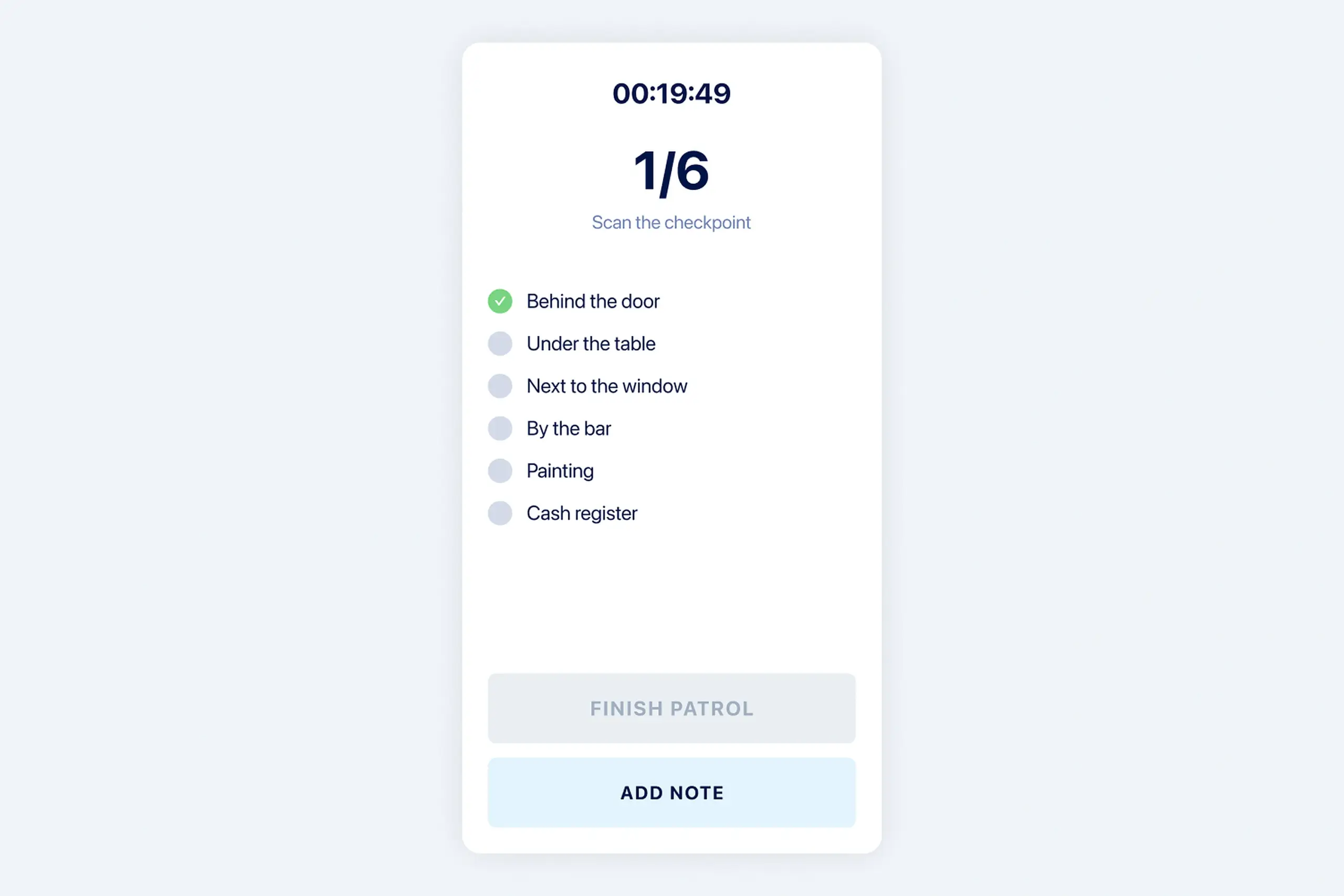
Tour interface when guards start:
- Timer counting up
- List of all chips they need to scan
- Checkmarks for completed scans
- Clear “Start Tour” and “End Tour” actions
Why I emphasized immediate feedback: The old system’s biggest failure was uncertainty. Guards would tap a chip and have no idea if it registered. I designed immediate visual confirmation after each scan. Checkmark appears, chip moves to “completed” state. No ambiguity.
Offline-first architecture: Guards work in underground garages, basements, areas with poor signal. The app had to work perfectly offline.
Technical approach: Scans save locally with timestamp and location. When connection returns, data syncs to dashboard. The timestamp shows when the scan actually happened, not when it synced. This prevents guards from tapping chips later and claiming they did it on time.
What I tried first that didn’t work: Early designs showed a simple list of chips without progress indication. Testing revealed guards wanted to know how much was left, “Am I halfway done?” Added progress visualization (3/7 chips scanned) and estimated remaining time based on typical tour pace.
Artifacts I created
- Interview notes from 4 users (2 managers, 2 guards)
- Workflow diagrams for tour process (before and after)
- Information architecture for both platforms
- Wireframes showing dashboard and mobile app flows
- Design system with status indicators (active, completed, late, missed), progress visualization, security level badges, notification types
- Offline sync flow diagrams
- Developer handoff specifications
The impact
Managers reported getting hours of their day back. Dashboard made tour monitoring passive instead of active work.
Guards stopped cheating because the system became reliable. When tools work properly, people use them properly. Clear feedback after each scan removed the uncertainty that drove workarounds.
Shift scheduling moved from Excel to the app. Payroll calculations became automatic. Monthly reporting went from days of manual work to clicking a button.
What I learned
About users & product:
- Unreliable systems create workarounds. Guards weren’t cheating maliciously, they’d developed workarounds because the old system failed them. Making the system reliable removed the reason to cheat.
- Offline-first isn’t a feature, it’s architecture. Underground garages and poor signal areas meant offline had to work perfectly, not as a fallback. This shaped every technical decision.
- Two apps for two contexts. Managers at desks need dashboards and scheduling. Guards on patrol need simple checklists and clear feedback. Same system, completely different interfaces.
About process:
- Observe users in context. I interviewed guards but didn’t watch them on actual tours. Field observation would have revealed edge cases earlier.
- Plan for distrust. Guards burned by the old system didn’t trust the new one initially. I’d build in more explicit “this is working” feedback and a gentler transition.
- iOS gap was a mistake. Android-only made sense for company phones, but some locations wanted personal devices. Should have flagged this limitation earlier.
Details adjusted for confidentiality